+86 13012999975
- English
- Chinese
- French
- German
- Portuguese
- Spanish
- Russian
- Japanese
- Korean
- Arabic
- Irish
- Greek
- Turkish
- Italian
- Danish
- Romanian
- Indonesian
- Czech
- Afrikaans
- Swedish
- Polish
- Basque
- Catalan
- Esperanto
- Hindi
- Lao
- Albanian
- Amharic
- Armenian
- Azerbaijani
- Belarusian
- Bengali
- Bosnian
- Bulgarian
- Cebuano
- Chichewa
- Corsican
- Croatian
- Dutch
- Estonian
- Filipino
- Finnish
- Frisian
- Galician
- Georgian
- Gujarati
- Hausa
- Hawaiian
- Hebrew
- Hmong
- Hungarian
- Icelandic
- Igbo
- Javanese
- Kannada
- Kazakh
- Khmer
- Kurdish
- Kyrgyz
- Latin
- Latvian
- Lithuanian
- Luxembou..
- Macedonian
- Malagasy
- Malay
- Malayalam
- Maltese
- Maori
- Marathi
- Mongolian
- Burmese
- Nepali
- Norwegian
- Pashto
- Persian
- Punjabi
- Serbian
- Sesotho
- Sinhala
- Slovak
- Slovenian
- Somali
- Samoan
- Scots Gaelic
- Shona
- Sindhi
- Sundanese
- Swahili
- Tajik
- Tamil
- Telugu
- Thai
- Ukrainian
- Urdu
- Uzbek
- Vietnamese
- Welsh
- Xhosa
- Yiddish
- Yoruba
- Zulu
- Kinyarwanda
- Tatar
- Oriya
- Turkmen
- Uyghur

What Is an Uninterrupted Power Supply (UPS)?
2026-09-28
A power outage lasts only seconds — but for a server room, an e-commerce storefront, or a factory control line, those seconds can mean corrupted data, interrupted operations, and costly downtime. That is exactly the problem an uninterrupted power supply is built to solve.
In this guide, you’ll learn what an uninterrupted power supply (UPS) actually is, how it works, the main types available, and how to choose the right unit for your equipment.
What Is an Uninterrupted Power Supply (UPS)?
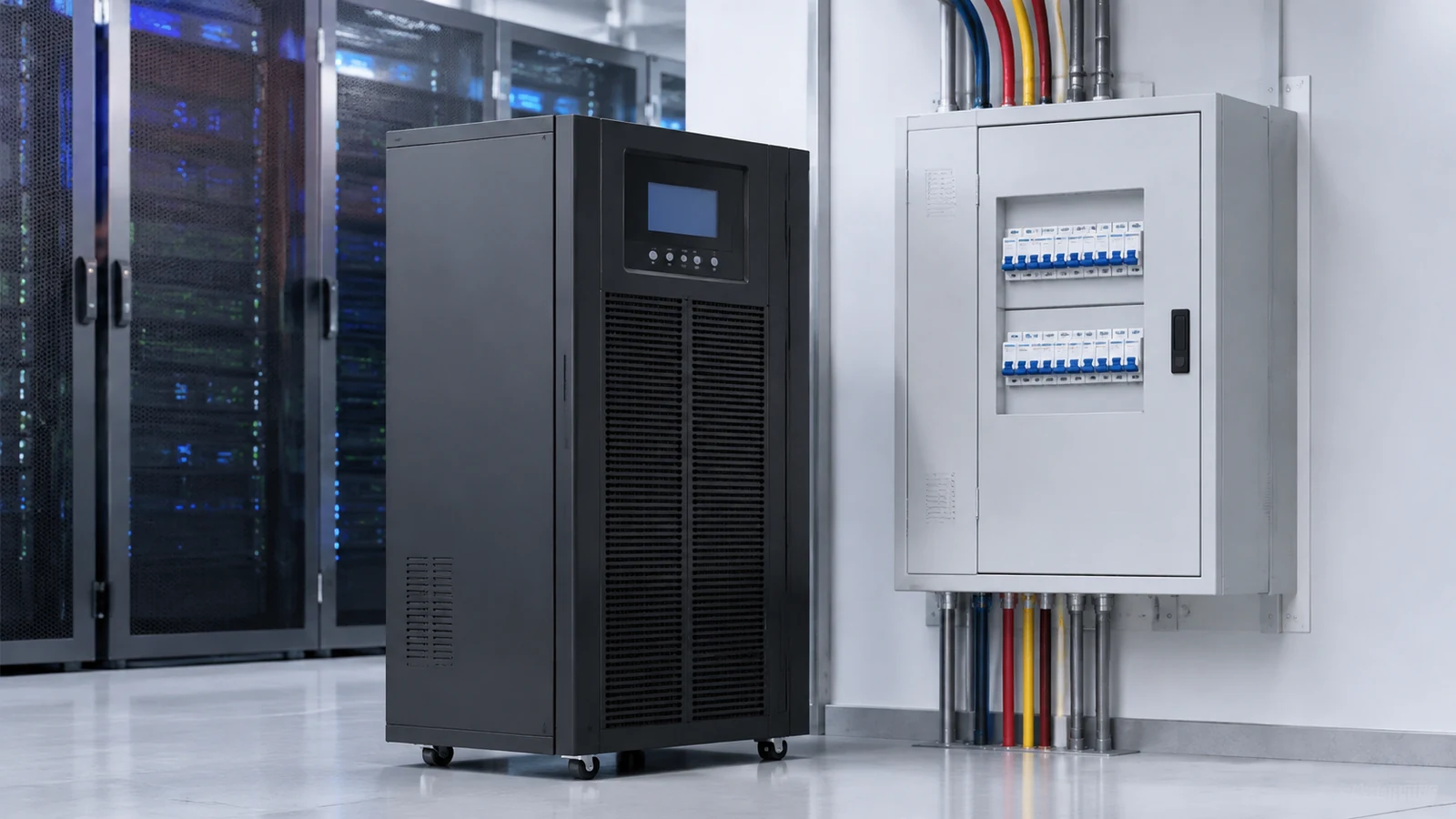
An uninterrupted power supply (UPS) is an electrical device that provides emergency backup power to connected equipment when the main power source fails or drops below an acceptable level. It sits between your wall outlet and your equipment, acting as a bridge between the incoming utility power and your critical loads.
Unlike a simple power strip, a UPS does two jobs at once:
- Conditioning power — filtering out surges, sags, spikes, and noise that can damage sensitive electronics.
- Providing backup power — keeping equipment running for a short window (typically minutes) during an outage so you can save work, shut down systems safely, or switch to a generator.
The key word is uninterrupted: a UPS supplies power in real time, so your equipment never notices that the grid has failed.
How Does an Uninterrupted Power Supply Work?
A typical UPS system is made up of three core components:
| Component | Role |
| Rectifier / charger | Converts incoming AC power to DC to charge the battery bank. |
| Battery bank | Stores DC energy and releases it when utility power fails. |
| Inverter | Converts DC back to AC so your equipment can keep running. |
When grid power is normal, the UPS charges its batteries while also feeding clean power to your load. The moment the input power fails or sags, the UPS switches to battery power almost instantly — in many designs within a few milliseconds — so connected devices keep running without interruption.
The Three Main Types of UPS Systems
Not all UPS units work the same way. Choosing the right topology depends on how sensitive your equipment is and how much protection you need.
| Type | How it works | Best for | Typical cost level |
| Standby (Offline) UPS | Switches to battery only when input power fails | Home PCs, routers, small office equipment | Low |
| Line-Interactive UPS | Regulates voltage continuously; switches to battery on outage | SMB servers, POS systems, telecom gear | Medium |
| Double-Conversion (Online) UPS | Constantly converts AC→DC→AC, isolating load from grid issues | Data centers, medical devices, industrial control | High |
Standby UPS is the most economical option. It passes utility power straight through and only engages the battery when the supply is lost. For basic home electronics, this is often enough.
Line-interactive UPS adds automatic voltage regulation (AVR), so it smooths out sags and surges without draining the battery. This makes it a strong choice for offices and small server rooms where voltage fluctuations are common.
Double-conversion UPS runs every watt through the inverter at all times, providing the highest level of protection. It fully isolates your equipment from grid disturbances, which is why data centers and mission-critical facilities rely on it.
UPS vs. Surge Protector vs. Backup Generator
Many buyers confuse a UPS with two other common power devices. They serve different roles:
| Device | What it does | What it cannot do |
| Surge protector | Blocks voltage spikes | Provides no power during an outage |
| UPS (battery backup) | Cleans power and bridges short outages | Cannot run equipment for hours |
| Generator | Provides power for long durations | Takes time to start; not instant |
A surge protector protects against spikes only. A generator can run for hours, but it takes seconds to kick in. A UPS fills the gap between the two: instant, clean backup power for the critical minutes that matter most. Many facilities use all three together — a generator for long outages and a UPS to bridge the gap until the generator starts.
Why Your Business Needs an Uninterrupted Power Supply
An uninterrupted power supply is not a luxury for data centers alone. It protects value in any environment where downtime is expensive:
- Server rooms and IT — prevents data loss, file corruption, and equipment damage during outages.
- E-commerce and point-of-sale — keeps transactions, card payments, and order systems online.
- Medical and laboratory equipment — protects devices that cannot tolerate sudden shutdown.
- Industrial and manufacturing control — keeps PLCs and control lines stable during dips.
- Home offices — avoids losing work on unsaved files and protects routers and modems.
Beyond outages, a UPS also extends the lifespan of your electronics by filtering out the daily voltage noise and surges that gradually wear down components.
How to Choose the Right UPS
Before you buy, answer four questions:
- What load do you need to protect? Add up the wattage of every device you will connect. Choose a UPS rated higher than your total load.
- How much runtime do you need? UPS batteries provide minutes, not hours. Plan enough capacity to save data and shut down safely — or to bridge until a generator takes over.
- What topology fits your equipment? Sensitive or mission-critical gear generally needs line-interactive or double-conversion protection.
- Do you need management features? Consider models with USB monitoring, network cards, or remote shutdown software to automate safe shutdown.
UPS Maintenance Tips
To keep your UPS reliable:
- Test the battery and run a self-test every few months.
- Keep the unit in a cool, ventilated space; heat shortens battery life.
- Replace batteries before they reach end of life — many units alert you when battery health drops.
- Avoid overloading the UPS beyond its rated capacity.
- Clean dust from vents and keep vents unobstructed.
Frequently Asked Questions
Is a UPS the same as a power strip? No. A power strip only splits outlets. A UPS provides battery backup and power conditioning.
How long does a UPS last on battery? Most units provide anywhere from a few minutes to around 30 minutes of runtime, depending on load and battery capacity. They are designed to keep you online during short outages, not to power equipment for hours.
Can a UPS protect against lightning? A UPS conditions most surges, but a direct lightning strike can still damage electronics. A surge protector or lightning arrestor is recommended as an additional layer.
What is the difference between VA and watts on a UPS? VA (volt-amps) is the apparent power rating; watts is the real power delivered. Always match the wattage of your load to the UPS’s real power rating.
Why Choose a Trusted Uninterrupted Power Supply Partner?
Choosing the right UPS is about matching the right protection to your specific equipment, environment, and budget. If you are evaluating an uninterrupted power supply for your servers, office, or industrial site, talk to a supplier who can help you size and select the correct unit for your load and runtime needs.
At USYT UPS Power, we specialize in providing reliable power protection solutions and expert guidance for businesses and homes. Our team can help you identify the right uninterrupted power supply for your application — from standby units for home office setups to double-conversion systems for data centers. To discuss your requirements and get a recommendation tailored to your equipment, contact us via our website: https://www.usytupspower.com/contact/.