+86 13012999975
- English
- Chinese
- French
- German
- Portuguese
- Spanish
- Russian
- Japanese
- Korean
- Arabic
- Irish
- Greek
- Turkish
- Italian
- Danish
- Romanian
- Indonesian
- Czech
- Afrikaans
- Swedish
- Polish
- Basque
- Catalan
- Esperanto
- Hindi
- Lao
- Albanian
- Amharic
- Armenian
- Azerbaijani
- Belarusian
- Bengali
- Bosnian
- Bulgarian
- Cebuano
- Chichewa
- Corsican
- Croatian
- Dutch
- Estonian
- Filipino
- Finnish
- Frisian
- Galician
- Georgian
- Gujarati
- Haitian
- Hausa
- Hawaiian
- Hebrew
- Hmong
- Hungarian
- Icelandic
- Igbo
- Javanese
- Kannada
- Kazakh
- Khmer
- Kurdish
- Kyrgyz
- Latin
- Latvian
- Lithuanian
- Luxembou..
- Macedonian
- Malagasy
- Malay
- Malayalam
- Maltese
- Maori
- Marathi
- Mongolian
- Burmese
- Nepali
- Norwegian
- Pashto
- Persian
- Punjabi
- Serbian
- Sesotho
- Sinhala
- Slovak
- Slovenian
- Somali
- Scots Gaelic
- Shona
- Sindhi
- Sundanese
- Swahili
- Tajik
- Tamil
- Telugu
- Thai
- Ukrainian
- Urdu
- Uzbek
- Vietnamese
- Welsh
- Xhosa
- Yiddish
- Yoruba
- Zulu
- Kinyarwanda
- Tatar
- Oriya
- Turkmen
- Uyghur

What Is an UPS System? A Practical Guide to Uninterruptible Power Supply
2026-10-19
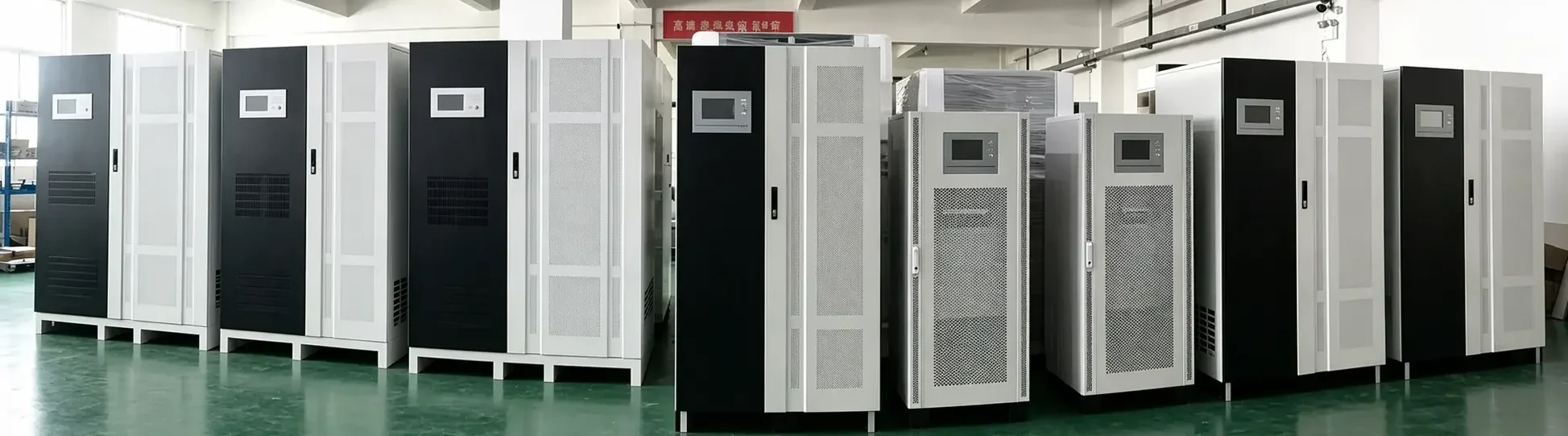
An UPS system, short for an uninterruptible power supply system, is a power protection device that provides temporary backup electricity when the main utility power fails or becomes unstable. It helps connected equipment continue operating during outages, voltage fluctuations, surges, and other power disturbances.
For businesses that rely on computers, network equipment, servers, security systems, medical devices, industrial controls, or telecommunications equipment, an UPS system can reduce downtime and help protect sensitive electronics from unexpected power events.
How Does an UPS System Work?
An UPS system is installed between the utility power source and the equipment it protects. Under normal conditions, it receives incoming AC power, conditions it when needed, and supplies stable electricity to connected loads. At the same time, it keeps its internal batteries charged.
When the utility supply is interrupted, the UPS automatically switches to battery power or continues supplying power through its inverter, depending on the UPS topology. This transition is designed to keep critical equipment running long enough to:
- Save data and shut down systems safely
- Keep network and communication equipment online
- Support standby generators while they start
- Prevent production interruptions caused by brief power failures
- Protect sensitive electronics from unstable voltage
The available backup time depends on battery capacity, load level, battery condition, operating temperature, and the efficiency of the UPS system.
Main Components of an UPS System
Although configurations vary by model and application, a typical UPS system includes several essential parts:
| Component | Main Function |
|---|---|
| Rectifier/charger | Converts AC input power to DC power and charges the battery |
| Battery bank | Stores energy for backup operation |
| Inverter | Converts DC battery power into AC power for connected loads |
| Static switch | Supports rapid transfer between power sources when required |
| Bypass circuit | Allows maintenance or provides an alternate power path in certain conditions |
| Monitoring system | Displays operating status, alarms, load level, and battery information |
These components work together to maintain a stable output supply for important equipment.
Types of UPS Systems
Different UPS designs offer different levels of protection, efficiency, and cost. Choosing the right type depends on the importance of the load and the quality of the local power supply.
Offline or Standby UPS
A standby UPS normally powers equipment directly from the utility supply. When a power failure occurs, it switches to battery power.
This type is often used for:
- Desktop computers
- Home-office equipment
- Small point-of-sale systems
- Basic network devices
A standby UPS is generally cost-effective for non-critical loads, but it may provide less protection against frequent voltage instability.
Line-Interactive UPS
A line-interactive UPS can regulate moderate voltage changes without immediately using battery power. It is commonly used where power fluctuations occur but complete outages are not constant.
Typical applications include:
- Small servers
- Network switches and routers
- Security and surveillance systems
- Office workstations
- Small business IT equipment
For many commercial users, a line-interactive UPS system offers a practical balance between protection, cost, and energy efficiency.
Online Double-Conversion UPS
An online UPS continuously converts incoming AC power to DC and then converts it back to clean AC output. Because connected equipment is powered through the inverter, it receives a more consistent power supply.
This design is often selected for critical applications such as:
- Data centers
- Server rooms
- Industrial automation systems
- Medical equipment
- Telecommunications infrastructure
- Financial and security systems
An online UPS system is usually more suitable when the load is highly sensitive, power quality is poor, or uninterrupted operation is essential.
Why Is an UPS System Important?
Power failures are not the only electrical risk to business equipment. Short voltage drops, surges, frequency variations, and unstable utility conditions can also affect performance and equipment life.
A properly selected UPS system can help deliver several practical benefits.
Reduce Unplanned Downtime
Even a brief outage can interrupt communication, stop equipment, or cause data loss. UPS backup power gives users time to continue essential operations or complete a controlled shutdown.
Protect Sensitive Electronics
Servers, controllers, network devices, and electronic instruments may be affected by unstable voltage. A UPS can help provide more consistent power to reduce operational risk.
Support Data Protection
Unexpected shutdowns can corrupt files, interrupt transactions, and damage system processes. With an UPS system, IT teams can configure safe shutdown procedures for critical devices.
Improve Business Continuity
For facilities that require continuous operation, UPS power can bridge the gap between utility failure and generator startup. This makes it an important part of a wider power continuity strategy.
Common Applications of UPS Systems
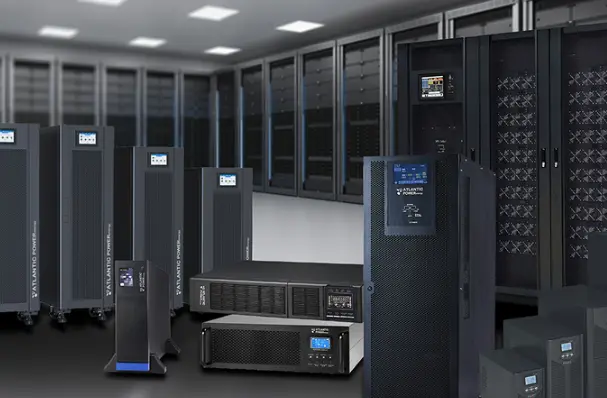
UPS systems are used across many industries because power reliability directly affects productivity, safety, and customer service.
Common applications include:
- Data centers and server rooms
- Office IT systems
- Telecom base stations
- Security and access-control systems
- Healthcare and laboratory equipment
- Industrial control panels
- Manufacturing lines
- Retail point-of-sale terminals
- Banking and financial systems
- Emergency communication equipment
The right solution depends on the criticality of the load, required runtime, environmental conditions, and available installation space.
How to Choose the Right UPS System
Selecting an UPS system should involve more than choosing the highest power rating. A system that is too small may overload, while an oversized unit may increase initial cost and operate inefficiently under very light loads.
Consider the following factors before choosing a UPS.
Load Capacity
Calculate the total power demand of all connected equipment. UPS capacity is commonly expressed in VA and watts. Both ratings matter because different loads have different power factors.
It is generally sensible to leave suitable capacity margin for future growth, startup current, and changes in connected equipment.
Required Runtime
Determine how long the load needs to run after a power failure. Some applications only require several minutes for safe shutdown, while others need longer battery support until a generator becomes available.
Runtime should be evaluated under real load conditions rather than based only on a nominal battery specification.
UPS Topology
Choose standby, line-interactive, or online double-conversion technology according to the sensitivity of the equipment and the quality of the local utility supply.
Input and Output Requirements
Check the required voltage, frequency, phase configuration, plug type, and output waveform. A mismatch can affect compatibility and system performance.
Battery Type and Maintenance
Battery condition has a direct impact on UPS backup performance. Depending on the model, users may choose valve-regulated lead-acid batteries, lithium battery solutions, or other supported battery configurations.
Regular inspection, temperature management, battery testing, and planned replacement are important for dependable operation.
Installation Environment
Consider temperature, ventilation, dust, humidity, rack or tower installation, cable routing, maintenance access, and available floor space. Industrial or harsh environments may require additional protection and specialized design.
Monitoring and Service
For business-critical systems, remote monitoring can help users review alarms, battery status, load level, and operating history. A service plan can also support preventive maintenance and reduce avoidable failures.
UPS System Maintenance Tips
A reliable UPS system requires regular attention. Even when utility power is stable, batteries and internal components age over time.
Useful maintenance practices include:
- Inspect battery condition regularly
- Keep the installation area clean and well ventilated
- Review alarms and event logs
- Avoid operating continuously near maximum capacity
- Test backup performance according to the manufacturer’s guidance
- Replace aging batteries before they affect runtime
- Schedule professional inspection for critical installations
Maintenance intervals should match the application, battery technology, operating environment, and the importance of the protected load.
Conclusion
An UPS system is an essential power protection solution for equipment that cannot tolerate sudden outages or unstable electricity. It provides temporary backup power, supports safe shutdown, and helps maintain continuity for critical business operations.
The best UPS system is not simply the largest model. It should match the actual load, required runtime, power environment, installation conditions, and maintenance capability of the application. A properly designed solution can improve equipment protection, operational resilience, and long-term reliability.
For help selecting an UPS system for your project, capacity requirement, or application environment, contact our UPS specialists.
FAQ
What does UPS stand for?
UPS stands for Uninterruptible Power Supply. It is a system that provides temporary backup power and power protection for connected equipment.
How long can an UPS system run during a power outage?
Runtime depends on the connected load, battery capacity, battery condition, UPS efficiency, and environmental conditions. A lightly loaded UPS may run longer than a heavily loaded one using the same battery configuration.
Can an UPS system power an entire building?
Most UPS systems are designed to support selected critical loads rather than an entire building. Large facilities may use UPS equipment together with generators and electrical distribution systems as part of a broader backup-power design.
What is the difference between a UPS and a generator?
A UPS provides immediate short-term backup power from batteries. A generator can provide longer-duration backup power but usually requires startup time. In many critical applications, an UPS system supports the load until the generator is running normally.