+86 13012999975
- English
- Chinese
- French
- German
- Portuguese
- Spanish
- Russian
- Japanese
- Korean
- Arabic
- Irish
- Greek
- Turkish
- Italian
- Danish
- Romanian
- Indonesian
- Czech
- Afrikaans
- Swedish
- Polish
- Basque
- Catalan
- Esperanto
- Hindi
- Lao
- Albanian
- Amharic
- Armenian
- Azerbaijani
- Belarusian
- Bengali
- Bosnian
- Bulgarian
- Cebuano
- Chichewa
- Corsican
- Croatian
- Dutch
- Estonian
- Filipino
- Finnish
- Frisian
- Galician
- Georgian
- Gujarati
- Haitian
- Hausa
- Hawaiian
- Hebrew
- Hmong
- Hungarian
- Icelandic
- Igbo
- Javanese
- Kannada
- Kazakh
- Khmer
- Kurdish
- Kyrgyz
- Latin
- Latvian
- Lithuanian
- Luxembou..
- Macedonian
- Malagasy
- Malay
- Malayalam
- Maltese
- Maori
- Marathi
- Mongolian
- Burmese
- Nepali
- Norwegian
- Pashto
- Persian
- Punjabi
- Serbian
- Sesotho
- Sinhala
- Slovak
- Slovenian
- Somali
- Scots Gaelic
- Shona
- Sindhi
- Sundanese
- Swahili
- Tajik
- Tamil
- Telugu
- Thai
- Ukrainian
- Urdu
- Uzbek
- Vietnamese
- Welsh
- Xhosa
- Yiddish
- Yoruba
- Zulu
- Kinyarwanda
- Tatar
- Oriya
- Turkmen
- Uyghur

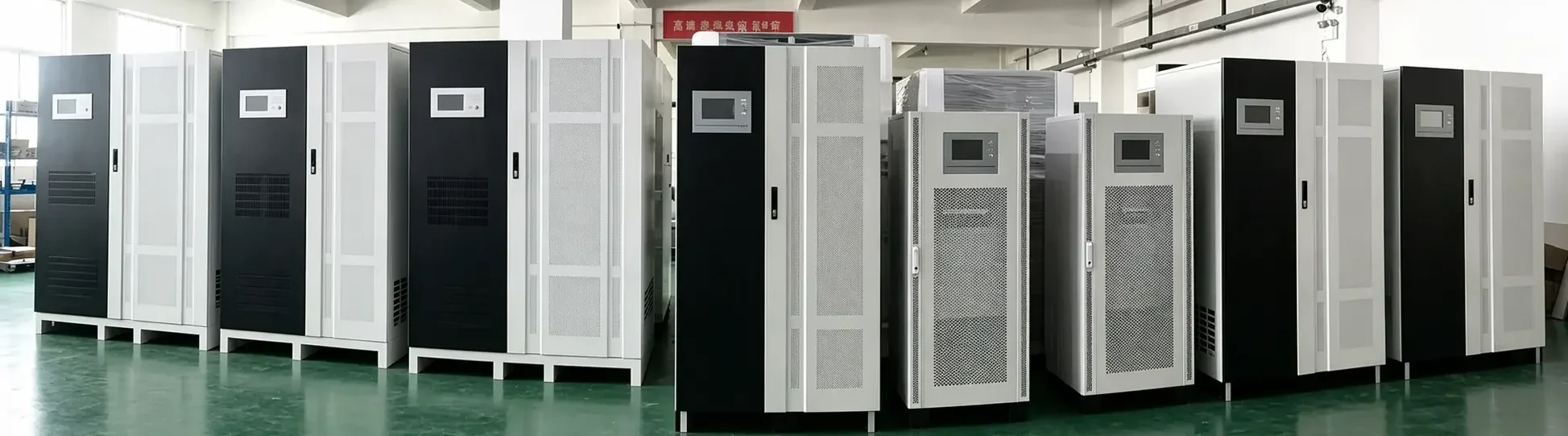
Enterprise UPS Buying and Battery Maintenance Guide
2026-09-16
For enterprises, a UPS is more than a backup device. It is the last line of defense for server rooms, network systems, production controls, medical equipment, security systems, and other critical loads. A UPS that is selected correctly and maintained properly can reduce downtime risk, protect data, and support safe shutdown or continuous operation during power events.
This guide gives practical advice for enterprise UPS purchasing and battery maintenance.
Part 1: Five Steps for Enterprise UPS Selection
1. Calculate the Critical Load
Start by listing all equipment that must remain powered during an outage. Record the real power in watts, apparent power in VA, voltage, phase, startup behavior, and operating priority.
After calculating the current load, add a safety factor for operating margin and future expansion. Many projects start with a margin of about 1.2 to 1.5 times the critical load, but the final value should reflect site risk, growth plans, redundancy, and budget.
Also check the UPS power factor. A modern UPS with a higher output power factor can support more real load under the same kVA rating.
2. Define the Backup Time
Runtime should be based on an operational objective. Common examples include:
- Enough time to save data and shut down safely.
- Enough time for a generator to start and stabilize.
- Enough time to keep network or security systems online.
- Enough time for industrial equipment to complete a safe stop.
- Long runtime for unattended or remote facilities.
Standard UPS systems with built-in batteries are usually designed for short backup. If long runtime is required, choose a UPS that supports external battery packs or battery cabinets.
3. Select the Correct UPS Topology
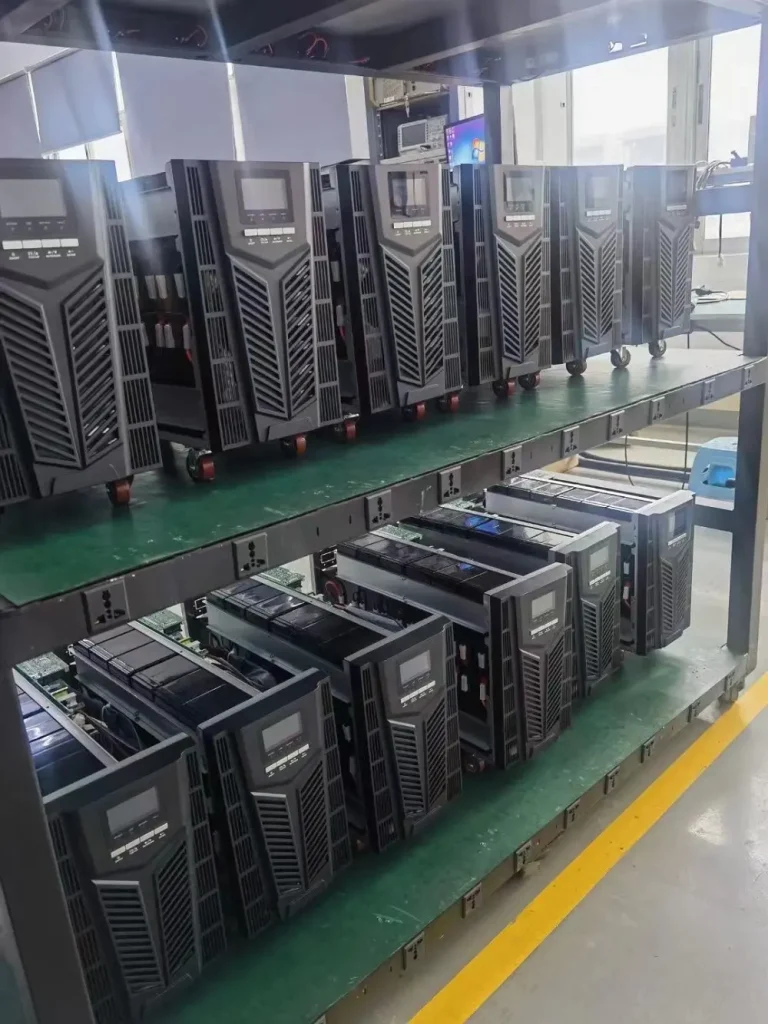
For mission-critical enterprise equipment, online double-conversion UPS systems are usually preferred. They provide continuous power conditioning, zero transfer time, and stable sine wave output.
Standby and line-interactive UPS systems may still be useful for non-critical office equipment, but they should not be used as the primary protection for sensitive servers, medical systems, industrial controls, or precision instruments.
4. Decide Whether Redundancy Is Required
For high-availability applications, consider redundancy. N+1 parallel redundancy can help avoid a single UPS module or unit becoming a single point of failure.
Redundancy planning should also include:
- Bypass design.
- Battery string design.
- Power distribution.
- Maintenance access.
- Emergency operating procedures.
5. Buy Through a Reliable Channel
Enterprise UPS projects should use reliable suppliers, clear specifications, and traceable warranty documents. Check the model, capacity, serial number, battery specification, accessories, and after-sales support.
Avoid unclear product sources, mismatched batteries, incomplete documentation, and equipment that cannot be serviced locally or remotely.
Part 2: UPS Battery Maintenance Essentials
Control the Environment
UPS batteries should be installed in a dry, clean, ventilated environment. For many lead-acid battery systems, a controlled room temperature around 20 C to 25 C is commonly targeted, while the exact range should follow the battery manufacturer recommendation.
Good practice includes:
- Keep the area free from dust and corrosive gas.
- Avoid heat sources, water sources, and direct sunlight.
- Reserve enough clearance around the UPS and battery cabinet for heat dissipation.
- Install temperature and humidity monitoring in critical rooms.
- Keep cables, terminals, and cabinets clean and organized.
Perform Regular Inspection and Testing
Regular inspection helps identify weak batteries before a real outage.
Maintenance checks may include:
- Visual inspection for swelling, leakage, corrosion, or overheating.
- Battery voltage checks.
- Terminal tightening.
- UPS self-test review.
- Alarm log review.
- Controlled discharge testing where approved.
- Verification of bypass, monitoring, and communication functions.
For long-runtime battery systems, deeper testing may be scheduled periodically under professional supervision. The test plan should avoid leaving critical loads without backup reserve.
Avoid Deep Over-Discharge
Over-discharge can cause irreversible battery damage and permanent capacity loss. After a power outage or discharge test, recharge batteries promptly. Do not leave discharged batteries unused for long periods.
Standardize Battery Parallel Configuration
Battery strings should be designed carefully. Avoid mixing batteries of different brands, capacities, models, ages, or conditions. Inconsistent batteries can cause unequal charging and discharging, heat, swelling, and early failure.
If multiple strings are required, the number of parallel strings, cable length, protection, balancing, and monitoring should be engineered by qualified personnel.
Replace Batteries Before They Become a Risk
UPS batteries are consumables. A battery that appears normal during utility power may fail under real discharge. Plan replacement based on battery type, service age, environment, test results, and manufacturer guidance.
Do not wait for a critical outage to discover that the battery system has lost capacity.
Why a Professional UPS Supplier Matters
Reliable UPS protection is not created by the UPS host alone. It comes from correct selection, battery calculation, installation design, commissioning, maintenance, and support.
A professional supplier can help with:
- Load assessment.
- UPS topology selection.
- Battery runtime calculation.
- External battery cabinet design.
- N+1 redundancy planning.
- Installation and commissioning.
- Maintenance and replacement planning.
- Fault diagnosis and after-sales service.
For enterprise buyers, the goal is not only to buy equipment. The goal is to build dependable power protection.
Enterprise UPS RFQ Checklist
Before requesting a quotation, prepare:
- Application type and site location.
- Critical equipment list.
- Total load in watts and VA.
- Input and output voltage, phase, and frequency.
- Required backup time.
- UPS topology preference.
- Redundancy requirement.
- Battery chemistry preference.
- Installation environment.
- Monitoring and communication requirements.
- Generator or bypass conditions.
- Future expansion plan.
Clear information leads to a more accurate UPS proposal and reduces project risk.
FAQ
What UPS type is best for enterprise servers?
Online double-conversion UPS systems are usually preferred for enterprise servers because they provide zero transfer time and stable conditioned output.
How often should UPS batteries be inspected?
Inspection frequency depends on the site and battery type. Many critical systems use monthly visual checks and scheduled electrical testing, with deeper testing planned under professional procedures.
Can different UPS batteries be mixed?
It is not recommended. Mixing batteries with different age, capacity, brand, model, or condition can reduce reliability and create safety risks.
What is the value of N+1 UPS redundancy?
N+1 redundancy adds extra capacity so the system can continue supporting the load if one module or unit fails, depending on the system design.
Conclusion
Enterprise UPS selection should begin with load calculation, runtime definition, topology selection, redundancy planning, and reliable supplier support. Battery maintenance should focus on environment, inspection, testing, correct configuration, timely charging, and planned replacement. When selection and maintenance work together, a UPS becomes a dependable power protection system rather than a one-time equipment purchase.
For enterprise UPS systems, batteries, and integrated critical power solutions, contact Shandong Fuhong Xunfei Electronic Technology Co., Ltd. through www.usytupspower.com (https://www.usytupspower.com/).